Quota Manager
n-Infinite deliberately generates more synthetic respondents than you'll ultimately need — for example, generating 2,000 to deliver a final sample of 200. Quota Manager selects exactly the right subset of that larger pool to match your required sample structure — by age, gender, region, or any combination of fields.
Open it from a finished project: Download Merged → Quota Manager (or the DATASETS menu in the project detail). The flow has three steps: Source → Define Quotas → Review & Download.
Step 1 — Source: three ways to define targets
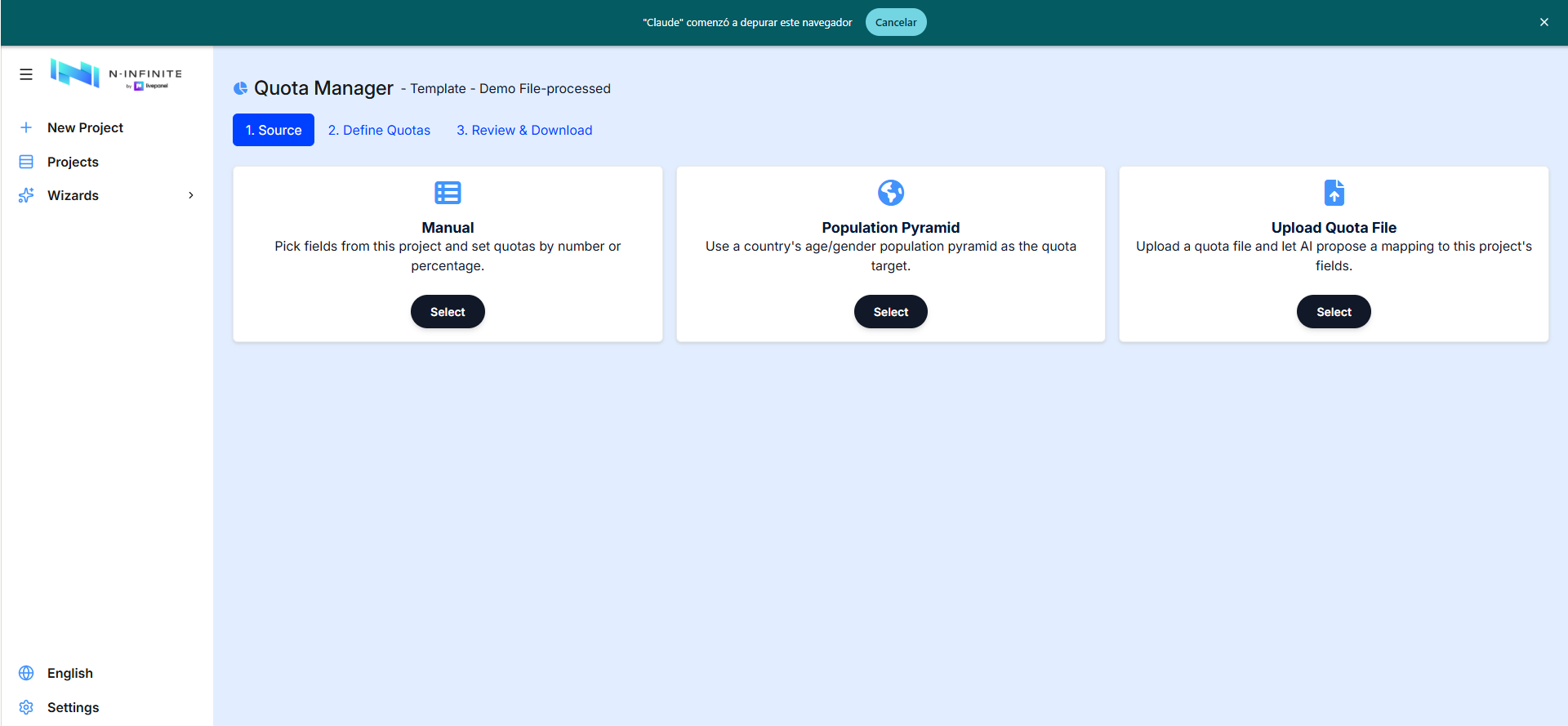
- Manual — pick fields from the project and set quotas by number or percentage.
- Population Pyramid — use a country's age/gender population pyramid as the quota target.
- Upload Quota File — upload an Excel/CSV quota sheet and let AI propose a mapping to the project's fields. The proposed mapping is always shown for review and adjustment before anything is applied.
Step 2 — Define quotas
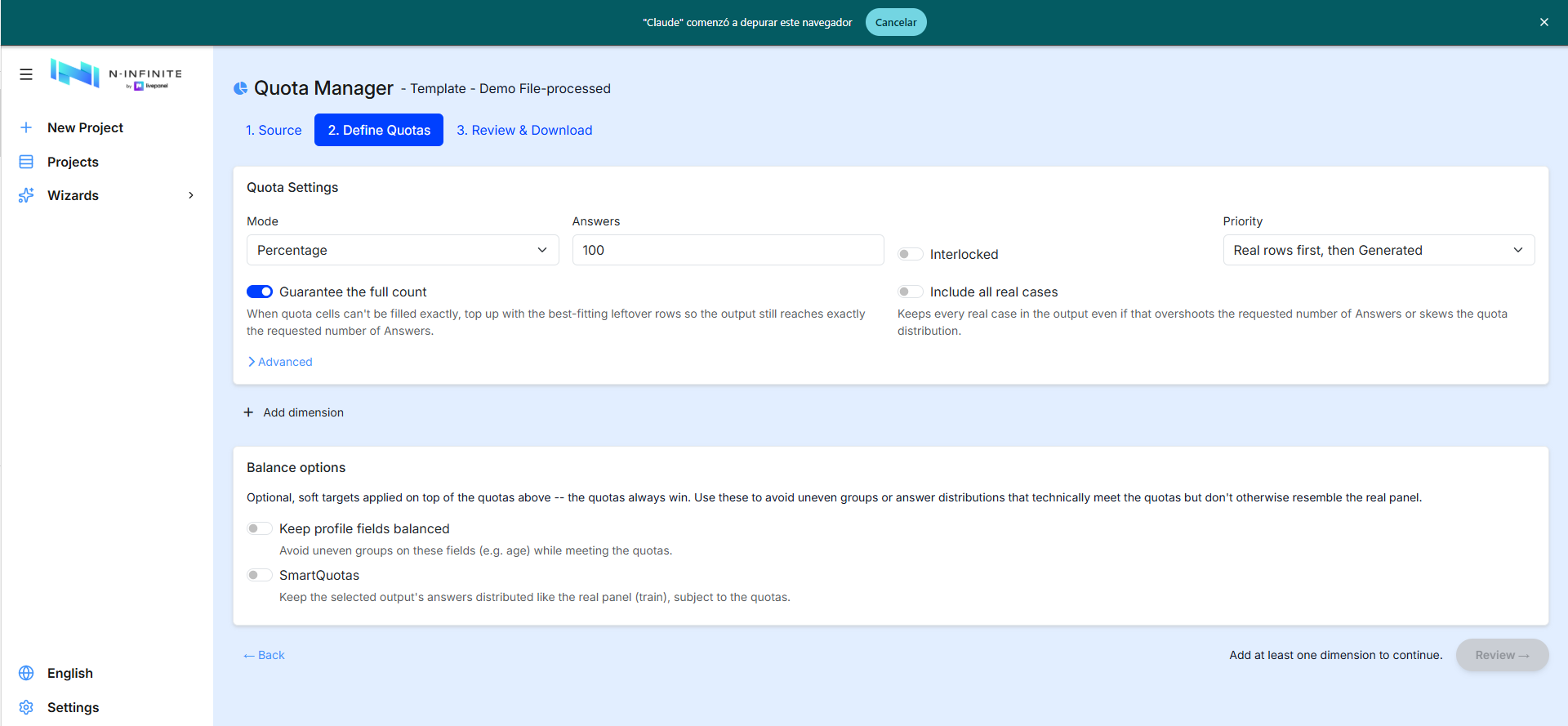
Quota Settings:
| Setting | Meaning |
|---|---|
| Mode | Targets as Percentage or counts |
| Answers | The size of the final sample to deliver |
| Interlocked | Cross-tabulated targets (e.g. a specific age-by-gender cell) instead of independent per-field targets |
| Priority | Which rows fill the quotas first — e.g. Real rows first, then Generated |
| Guarantee the full count | When quota cells can't be filled exactly, top up with the best-fitting leftover rows so the output still reaches the requested number of answers |
| Include all real cases | Keeps every real case in the output even if that overshoots the requested answers or skews the quota distribution |
Dimensions and buckets. Add a dimension per quota field; each dimension holds buckets with a label, a type (Values or ranges), the categories they cover and their target. The sum indicator turns green at 100%:
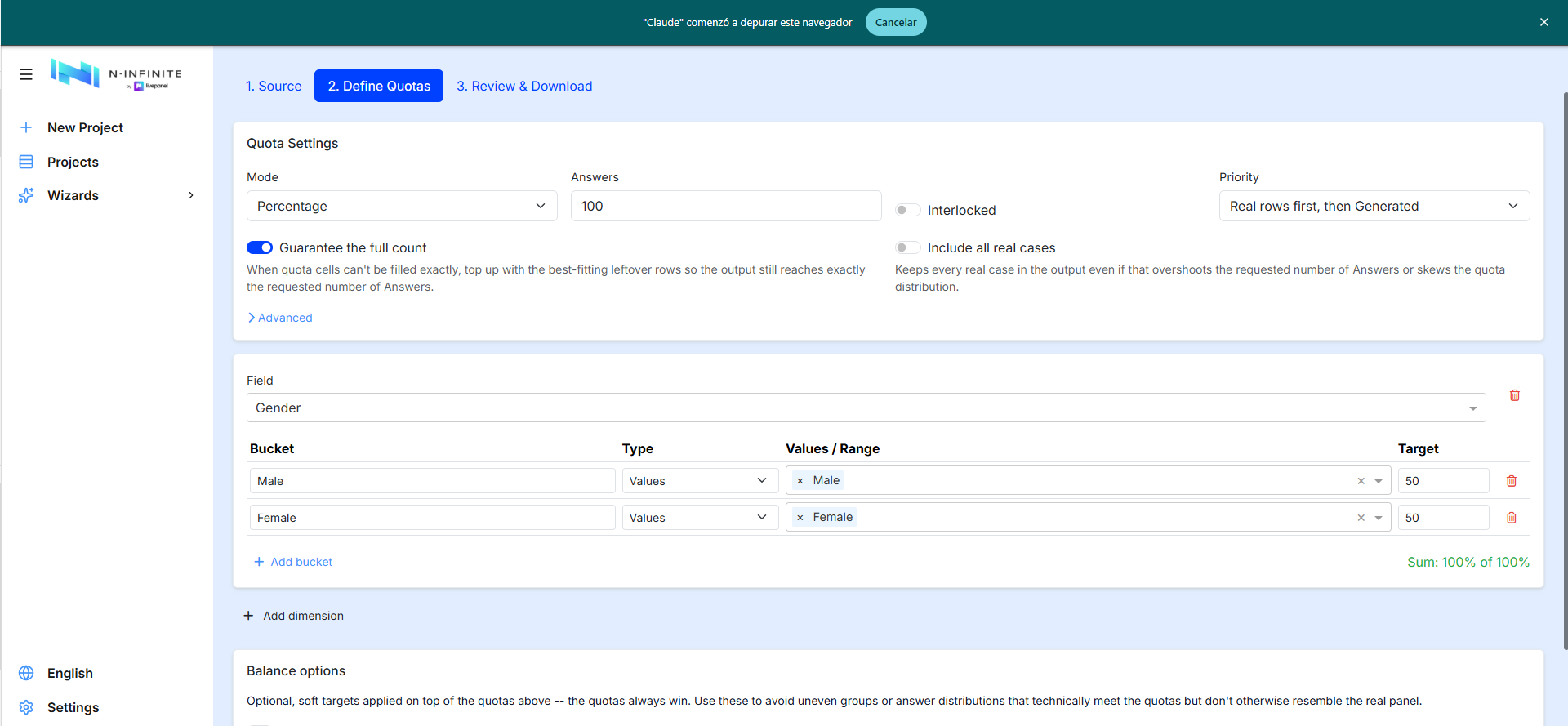
Balance options (soft targets — the quotas always win): Keep profile fields balanced, and SmartQuotas to keep the selected output's answers distributed like the real panel (train), subject to the quotas.
Step 3 — Review & download
The fulfillment report, on screen, before you download anything:
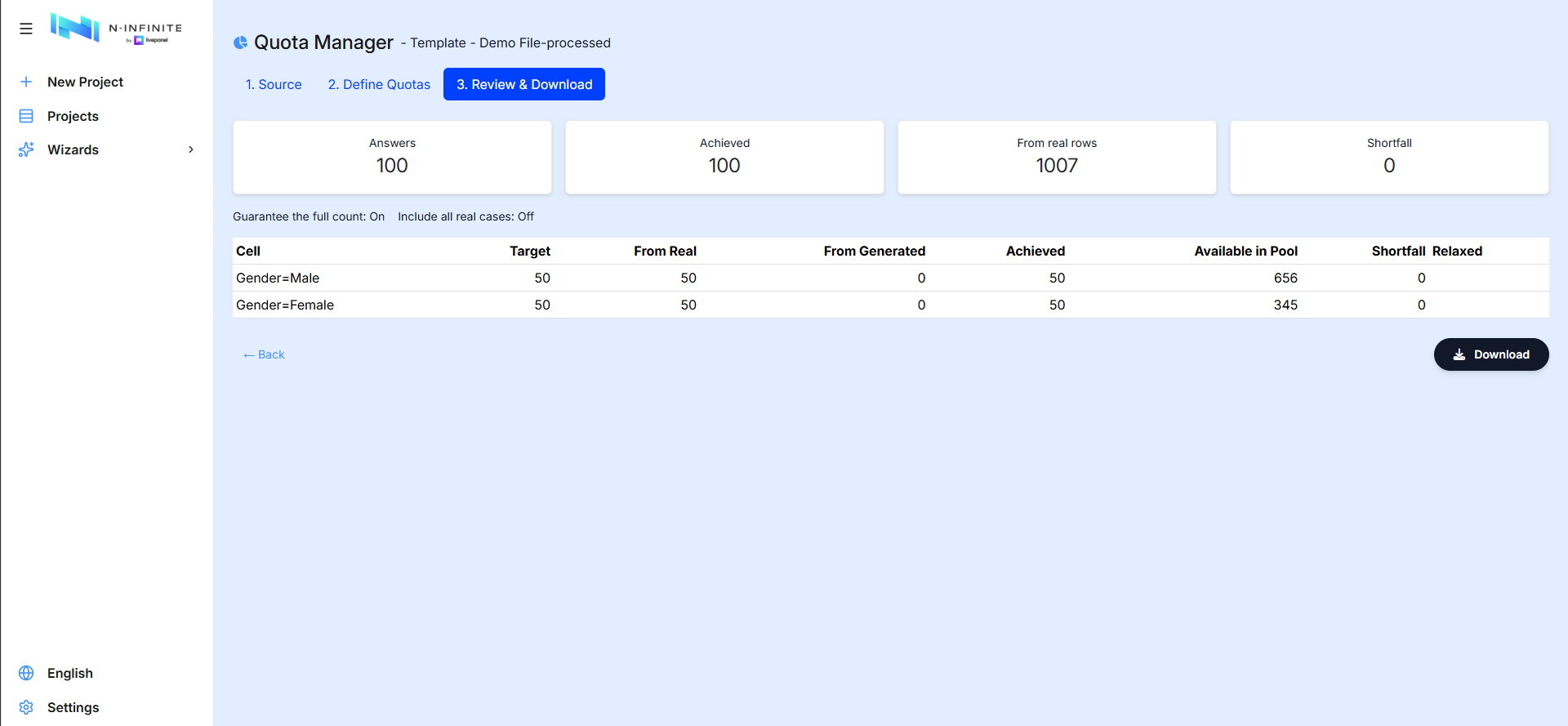
- Headline cards: requested Answers, Achieved, rows from real data, and total Shortfall.
- Per-cell table: Target · From Real · From Generated · Achieved · Available in Pool · Shortfall · Relaxed — if a target can't be fully met from the available pool, the shortfall is reported explicitly rather than silently under-filled, and the Relaxed column shows where relaxation priorities were applied.
Selection is deterministic and reproducible. Download produces the filtered, ready-to-use dataset, as Excel (.xlsx) or SPSS (.sav).
A collapsible Post-processing (optional) card sits above the download button — "Repair, refine or deduplicate the selected rows before download." — with the same three stages described in Post-processing. All three start off here, and turning Remove duplicates on or off re-runs the quota preview, because removing duplicates changes the pool of rows competing for each cell.