What's inside each download
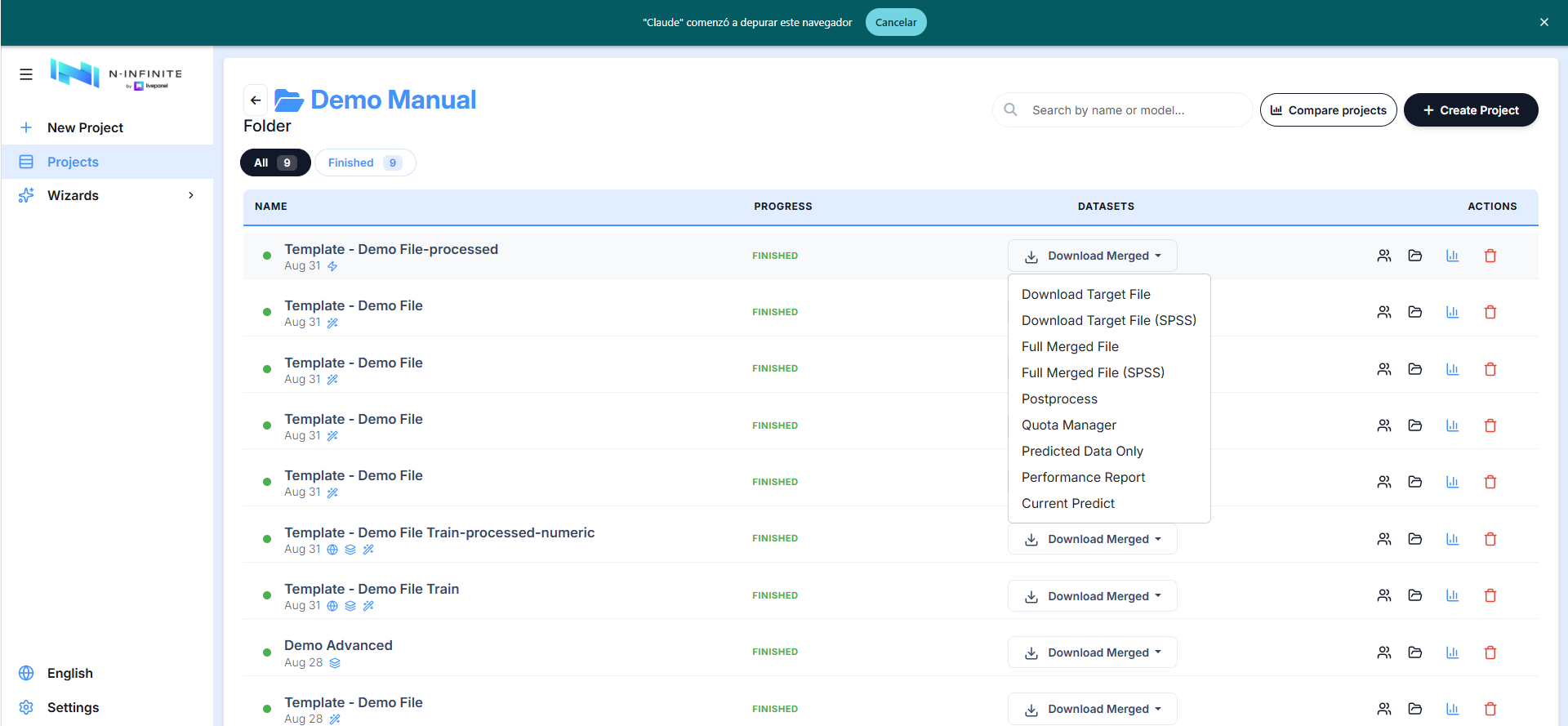
The Download Merged menu on a finished project offers several files. This chapter describes what each one actually contains, so you know which to send to a client and which to keep for auditing.
Telling real respondents from synthetic ones
The merged outputs carry a Type column right after the respondent
id: T = a real (train) respondent, P = a synthetic
(predicted) one. It is the first thing to look for when you open the
file, and the column to filter on if you need one group only.
Full Merged File
Your real respondents and the synthetic ones in a single sheet, in the same
column layout as the input file plus the Type flag.
In the demo project: 1,007 rows × 49 columns — 755 T + 252 P. One
sheet (Sheet1).
Full Merged File (SPSS) is the same content as a .sav, preserving
variable labels.
Predicted Data Only
Only the synthetic respondents, in the same column layout without the
Type column (every row is synthetic, so the flag would be redundant).
In the demo project: 252 rows × 48 columns.
Quality and performance report
Formerly Performance Report. It is no longer a one-sheet accuracy table: it now measures the delivered rows — fidelity, crosstab fidelity, coverage, coherence, duplicates and near-copies — across four sheets, in the language of the interface.
It has its own chapter: Quality and performance report. For a quick on-screen verdict instead of a file, see the Quality certificate.
Target File (boost projects only)
Swift and Express projects add Download Target File (and its SPSS twin) at the top of the menu. This is the deliverable: the deduplicated, quota-selected, balance-weighted dataset. Unlike the other downloads it ships four sheets — the data plus three audit reports:
| Sheet | Content |
|---|---|
| Data | The delivered sample with the Type flag. In the demo Swift project: 1,903 rows × 47 columns (1,007 T + 896 P) |
| Quota Report | One row per quota cell: Cell, Target, Filled From Train, Filled From Predicted, Achieved, Available In Pool, Shortfall, Relaxed Dimensions — the same fulfilment table the Quota Manager previews, frozen into the file |
| Balance Report | Per-field and per-cell distribution check: Field(s), Cell, Reference %, Achieved %, TVD vs Train, plus the project's Average TVD vs Train (0.0503 in the demo) — a single number for how close the delivered sample sits to the real panel |
| Dedup Report | What deduplication did: Applied, Similarity threshold, Predict rows scanned, Removed (near-duplicate), Capped by max-removals limit, Removed (clone of a real respondent) |
The Dedup Report is worth reading before delivery. In the demo project it reported 100 rows removed as near-duplicates, 554 removed as clones of a real respondent, and Capped by max-removals limit: Yes — meaning the threshold wanted to remove more than the cap allowed. If you see that, raise Max. removal (%) in Post-processing or revisit the boost factor.
Postprocess and Quota Manager
These two don't download immediately — they open their own screens first:
- Postprocess → the cleanup options dialog, see Post-processing.
- Quota Manager → the three-step quota flow, see Quota Manager.
Current Predict
Intended as a snapshot of the prediction in progress.
Warning
On a finished project this option currently fails: the request
returns an error and the browser still saves a file, so you get a
3-byte .xlsx containing 400 instead of data. Use Predicted Data
Only for a finished project.
How downloads are delivered
Large files are built by a worker, not by your browser: a Preparing your download dialog reports the queue and the elapsed time, the file arrives on its own, and only one download per user is built at a time. See Waiting, queues and errors.
Post-processed and quota downloads can be taken as Excel (.xlsx) or
SPSS (.sav); the .sav carries the data only, without the report sheets.
Same inputs, same file
Generation is reproducible: the same project, on the same data, with the same random seed produces the same file. See Quality certificate.