Pre-processing
Pre-processing options improve the quality of a data file or prepare it for correct use by the system. They are chosen before starting the project and run in sequence, as extra steps inside the project creation flow.
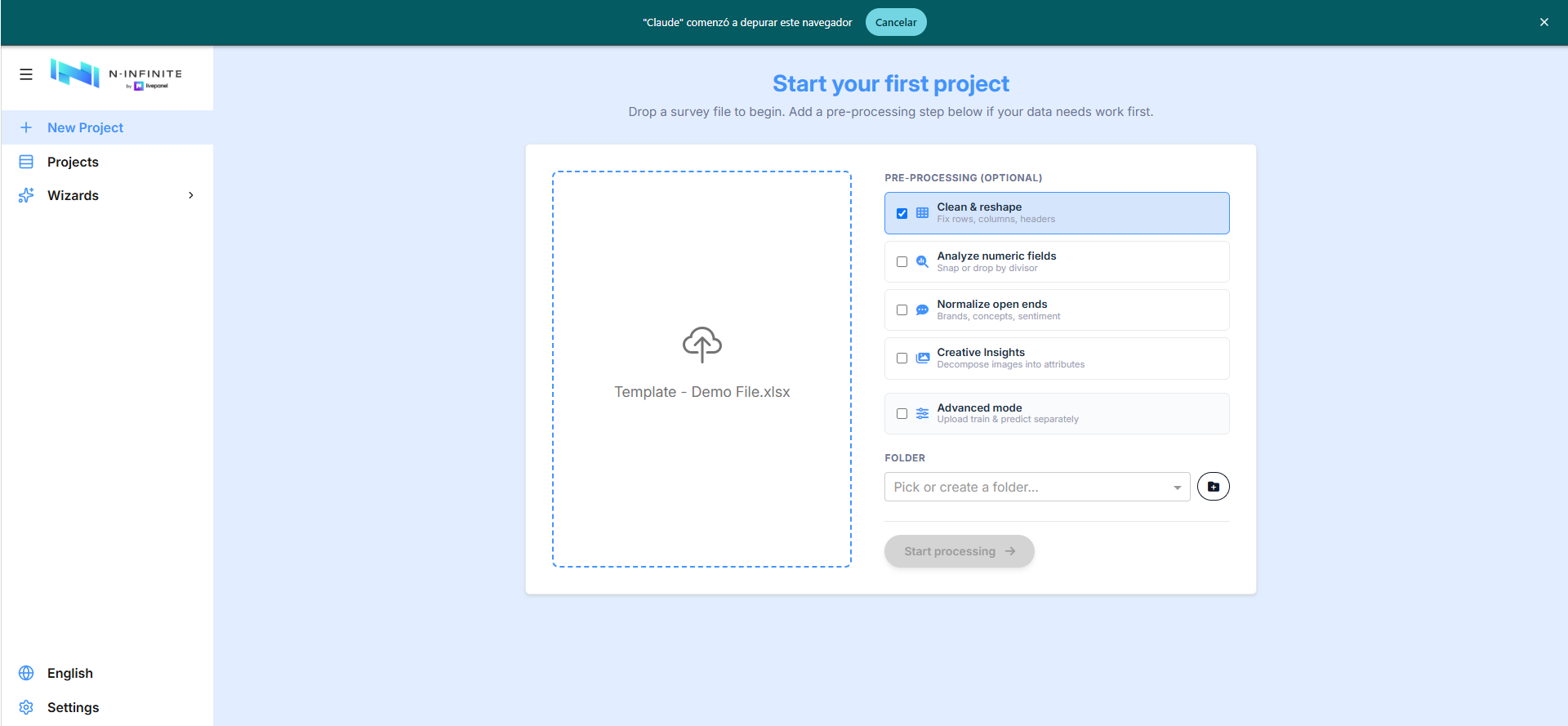
Clean & Reshape
Tick Clean & reshape and start processing: the Table Processor opens — "clean and reshape your file into the platform's classic format before continuing" — with five sub-steps. You can replace the file at any point (Replace file, top right).
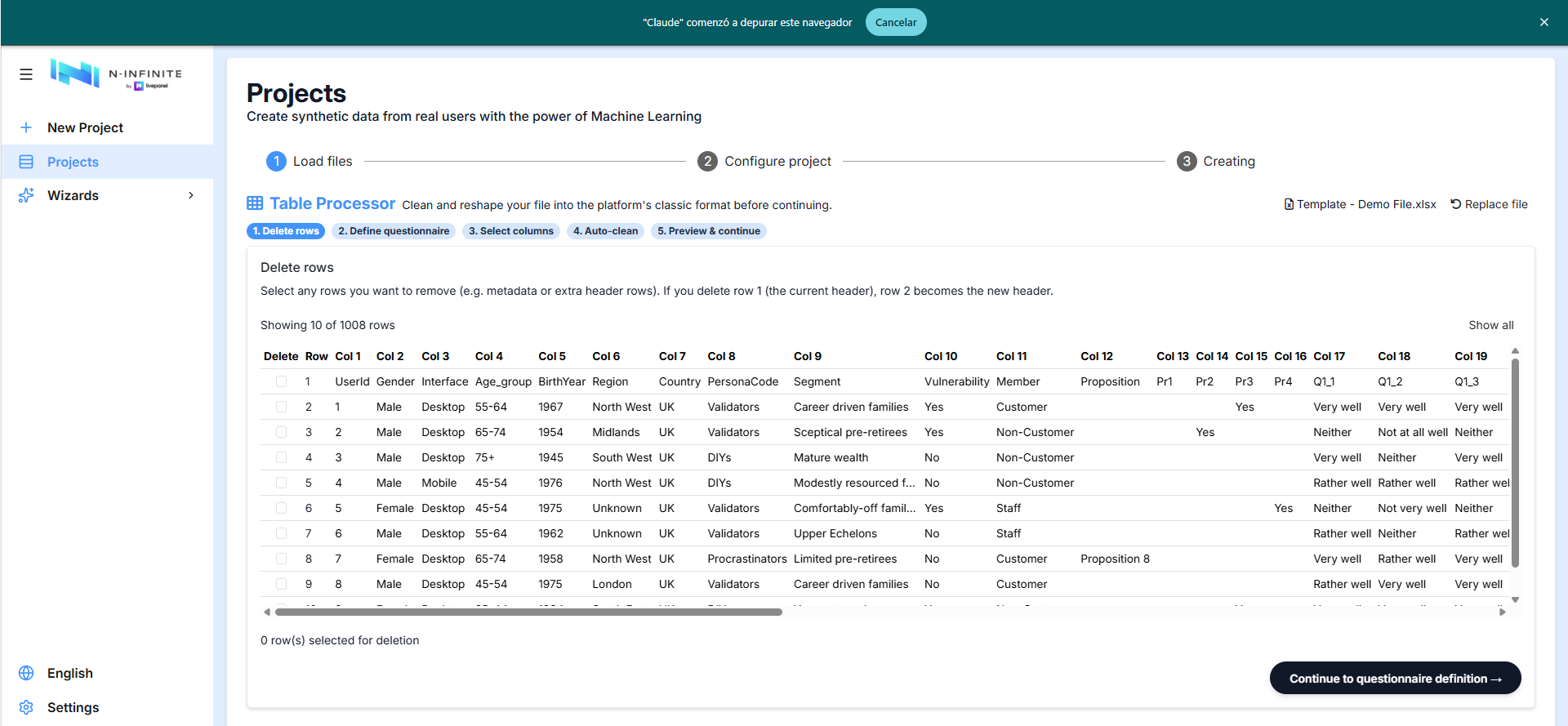
1. Delete rows
The grid shows your raw data. Select any rows to remove — metadata or extra header rows. If you delete row 1 (the current header), row 2 becomes the new header; when a file has two header rows per column, keep the coded one.
2. Define the questionnaire block
Select the columns where the questionnaire starts and ends. Everything between them is protected from manual deletion in the next step; columns after the end are automatically moved before the first question.
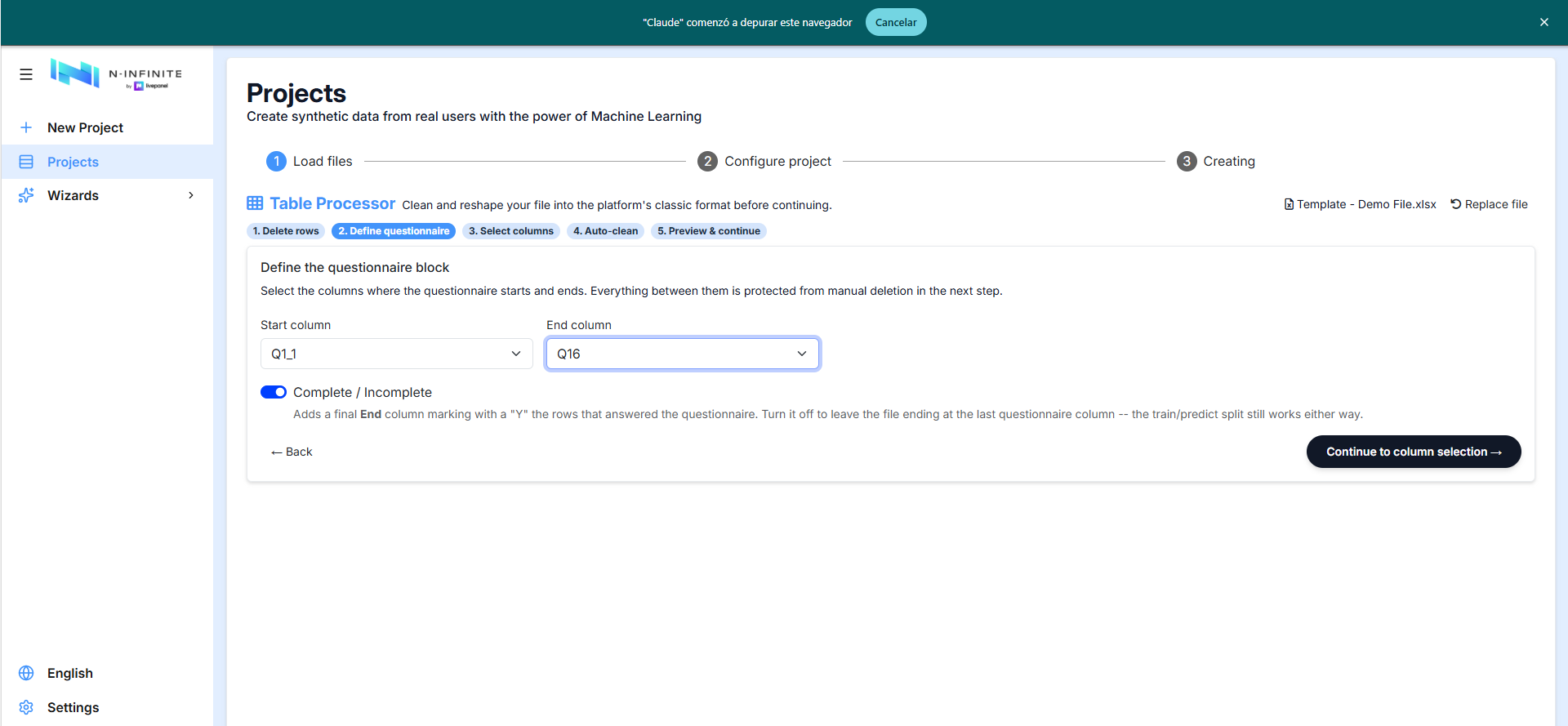
The Complete / Incomplete switch:
- Enabled — all uploaded rows (except completely empty ones) are valid
rows that meet the questionnaire's skip logic. A final
Endcolumn marks withYthe rows that answered the questionnaire. - Disabled — the tool assumes any row may be incomplete and will predict up to the last column, using data from complete rows in each column for training. Completely empty rows are detected as profiles to predict.
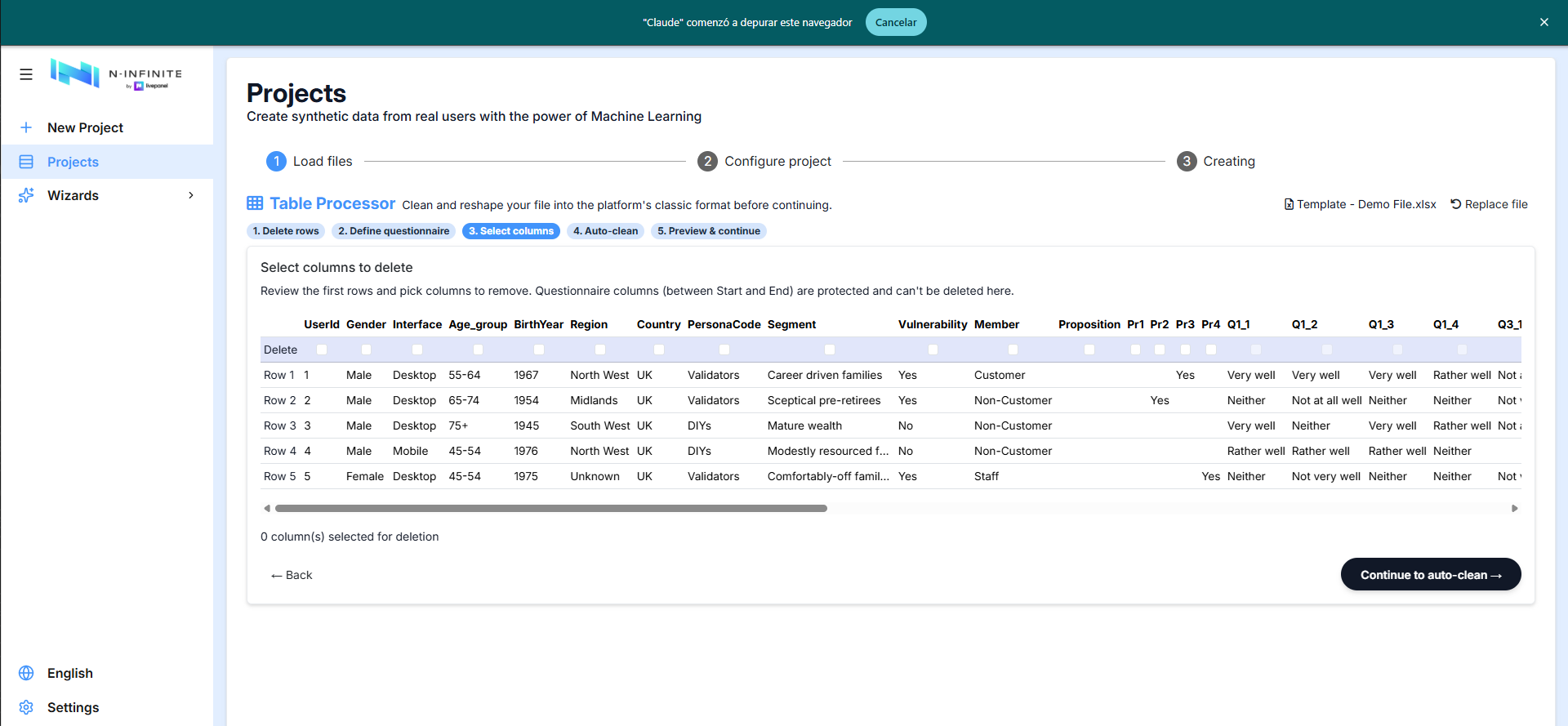
3. Select columns to delete
Review the first rows and pick the columns to remove — checksums, start/end times, other row identifiers.
Questionnaire columns can be removed too. They are shown in bold so you can tell them apart from the profiling columns, and you can drop individual questions you don't want modelled. One guard remains: if you tick every questionnaire column the screen warns "You can't delete every questionnaire column — keep at least one question." and Continue to auto-clean stays disabled until you leave at least one.
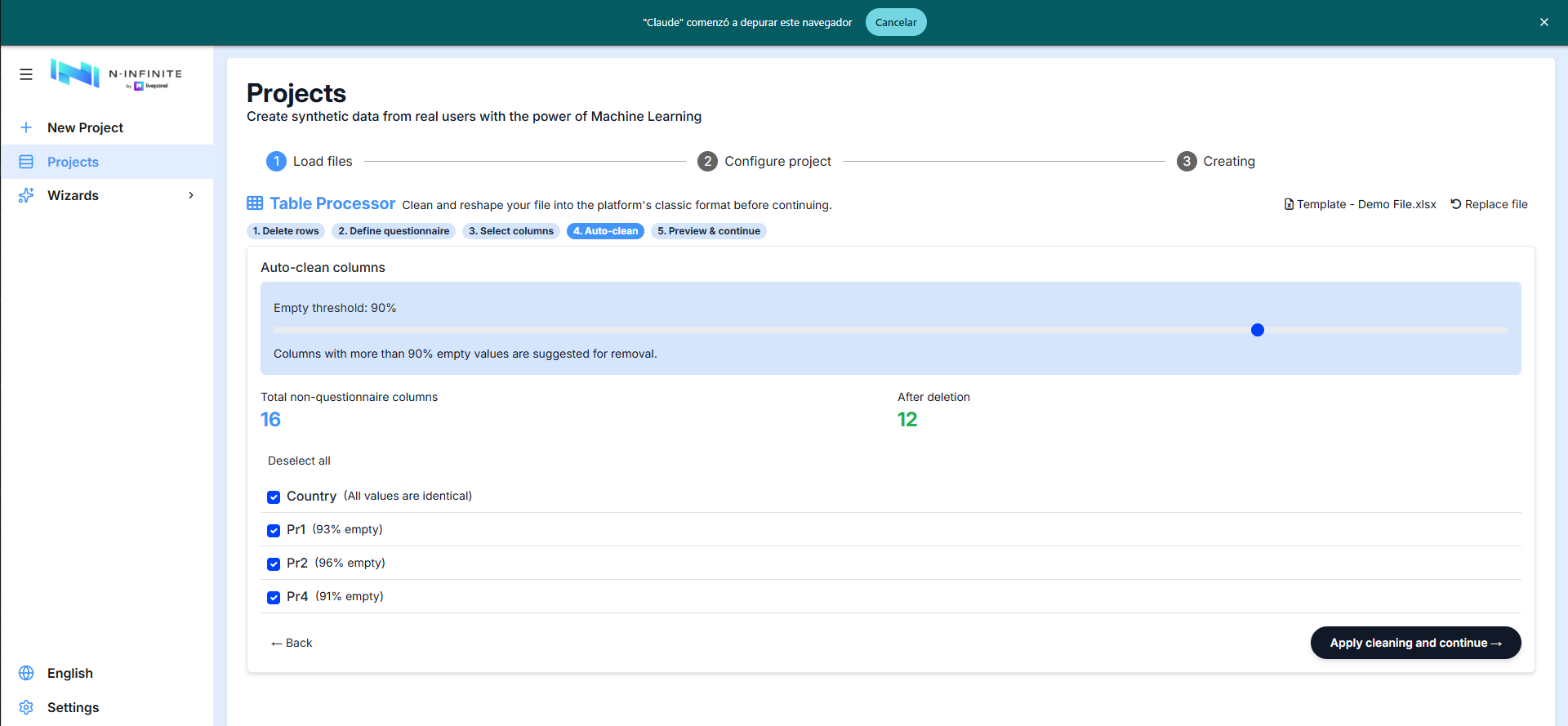
4. Auto Clean
Automatic suggestions for profiling columns with no diversity (all values identical) or low density, driven by an empty threshold slider (default: 90% empty). The before/after column count is shown live. We recommend processing files with 50–100 profiling columns at most.
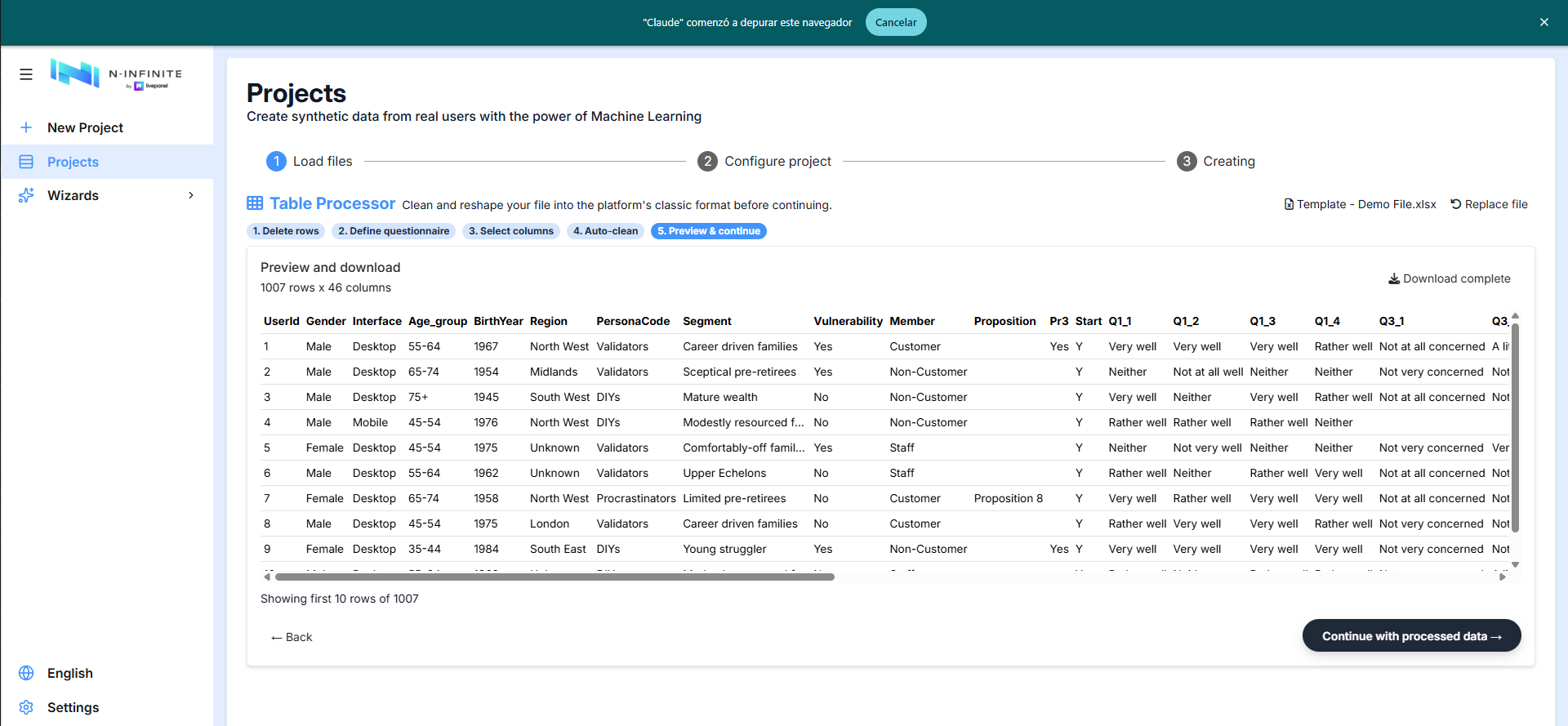
5. Preview & continue
The cleaned dataset, with the Start marker column added. Download the
processed file, or Continue with processed data into project
configuration.
Numeric Preprocessor
Tick Analyze numeric fields: the platform detects the numeric columns and shows, for each one, its min / max / average / count and an action:
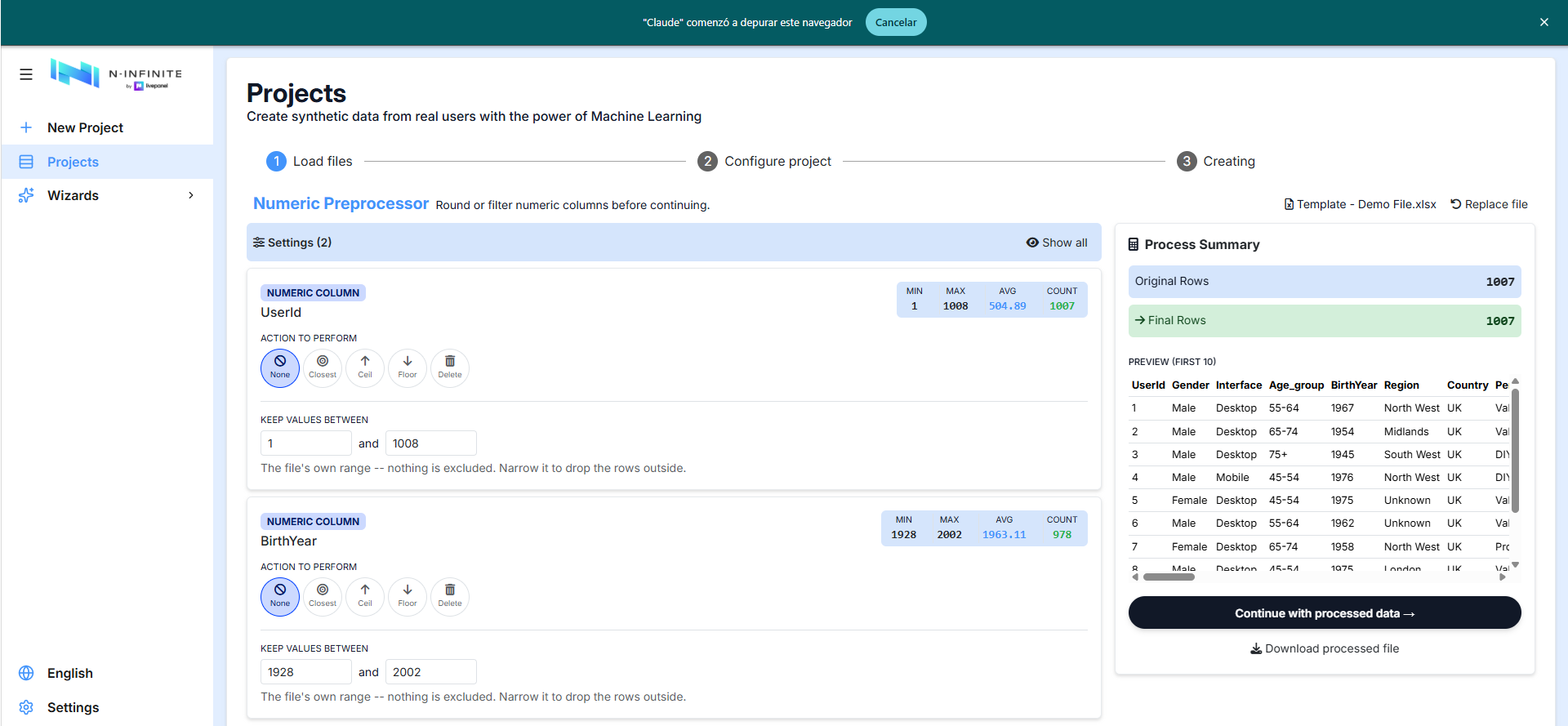
- Action to perform: None, Closest (round to the nearest step), Ceil, Floor, or Delete the column.
- Keep values between: a range filter — rows with values outside it are dropped.
The Process Summary panel tracks original vs. final rows with a live preview, and you can download the processed file or continue.
Open Text Normalizer
Tick Normalize open ends: the Open Text Normalizer opens with four sub-steps (Select columns → ID & profile → Run → Preview & continue).
1. Select columns to normalize
Free-text columns are preselected using a heuristic (non-numeric, high
uniqueness, longer text). Brand columns sharing a prefix (Q1_1, Q1_2,
Q1_3) are detected as one group and merged into a single deduped column.
Toggle Show non-text columns to map any column manually:
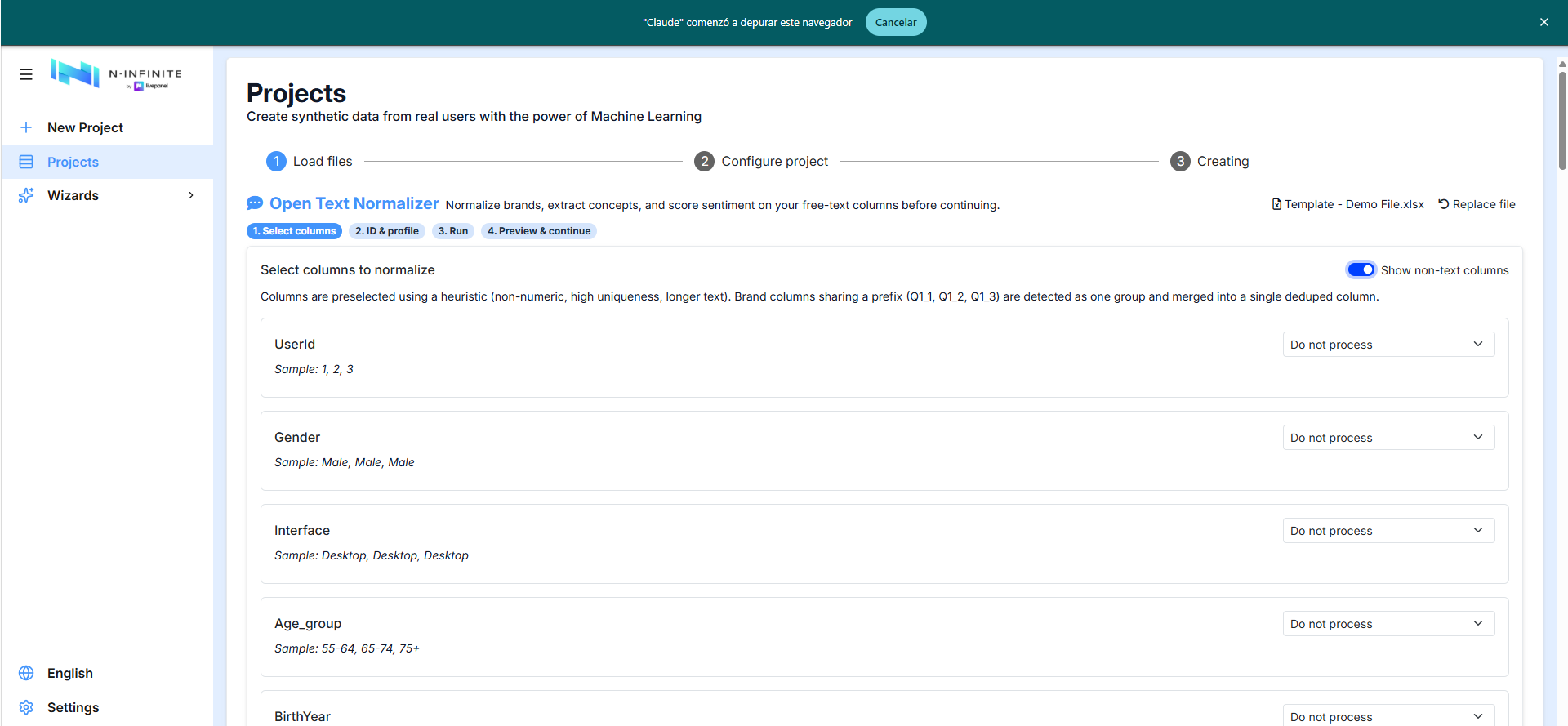
Each column gets one of four treatments:
- Do not process
- Normalize list/brands — groups all brand mentions, mitigating typos
and case differences. AI Suggest generates category labels from the
existing mentions. Multiple brands in one response are separated with
~. - Extract concepts — groups responses conceptually, up to a user-defined
maximum of distinct concepts, with AI Suggest for the labels. Multiple
concepts are separated with
~. - Sentiment suite (reconstructable) — deconstructs responses into sentiment variables, keywords and core elements, enabling ML prediction and the regeneration of unique open-ended responses sensitive to each panelist's context.
2. Unique ID and profile columns
The unique ID column is required to match batch results back to rows. Age, gender and country/region are optional context used by the ex-post text reconstruction step.
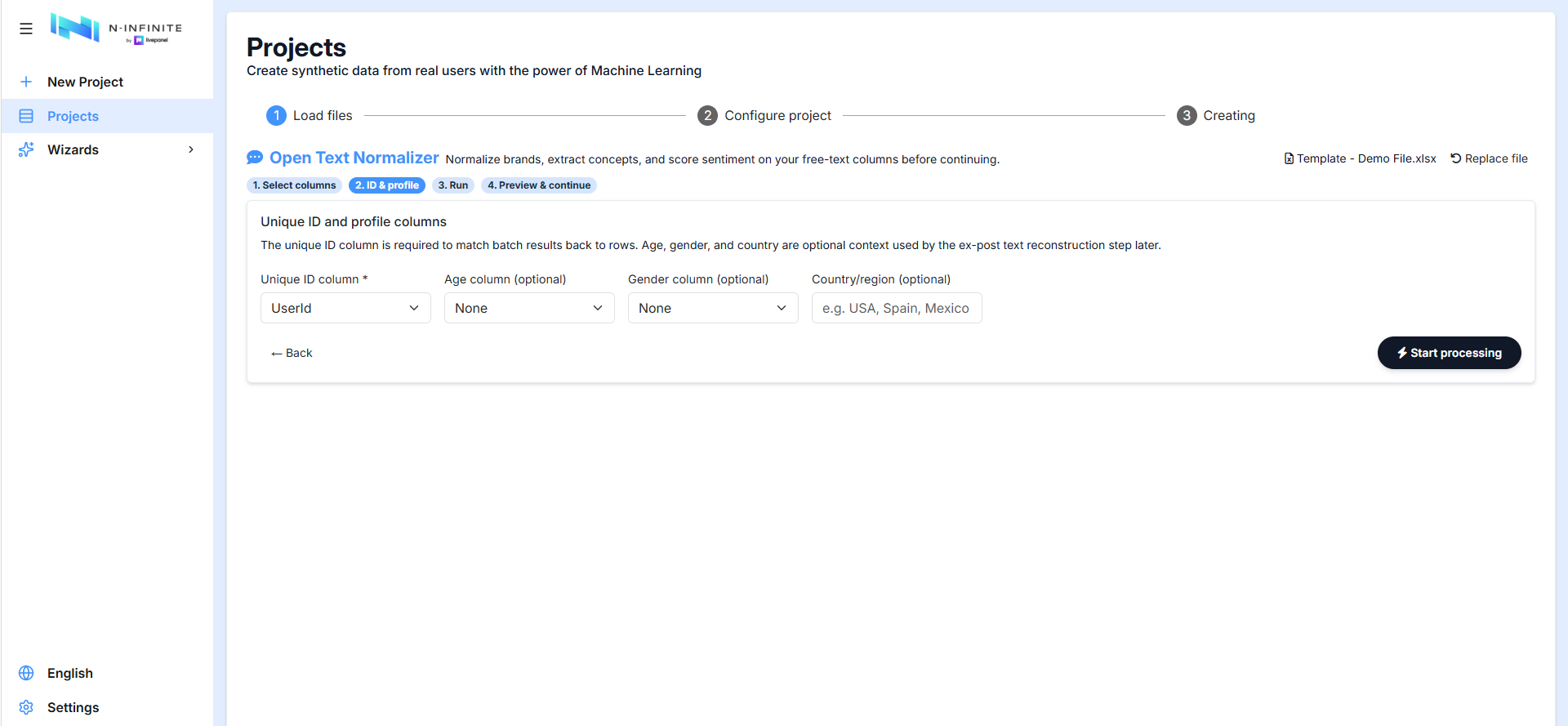
Start processing runs the normalization; the Preview & continue step then feeds the normalized file into project configuration.