API access
n-Infinite exposes a REST API so you can drive projects from your own systems: create a project, follow its progress, and pull the datasets when it finishes.
- Base URL:
https://tools.api.livepanel.ai/api/v2 - Interactive reference: tools.api.livepanel.ai/v2/docs/ — always the authoritative, up-to-date contract (this chapter summarises it).
- Support: support@livepanel.ai
Authentication
Generate your key in Settings → API:
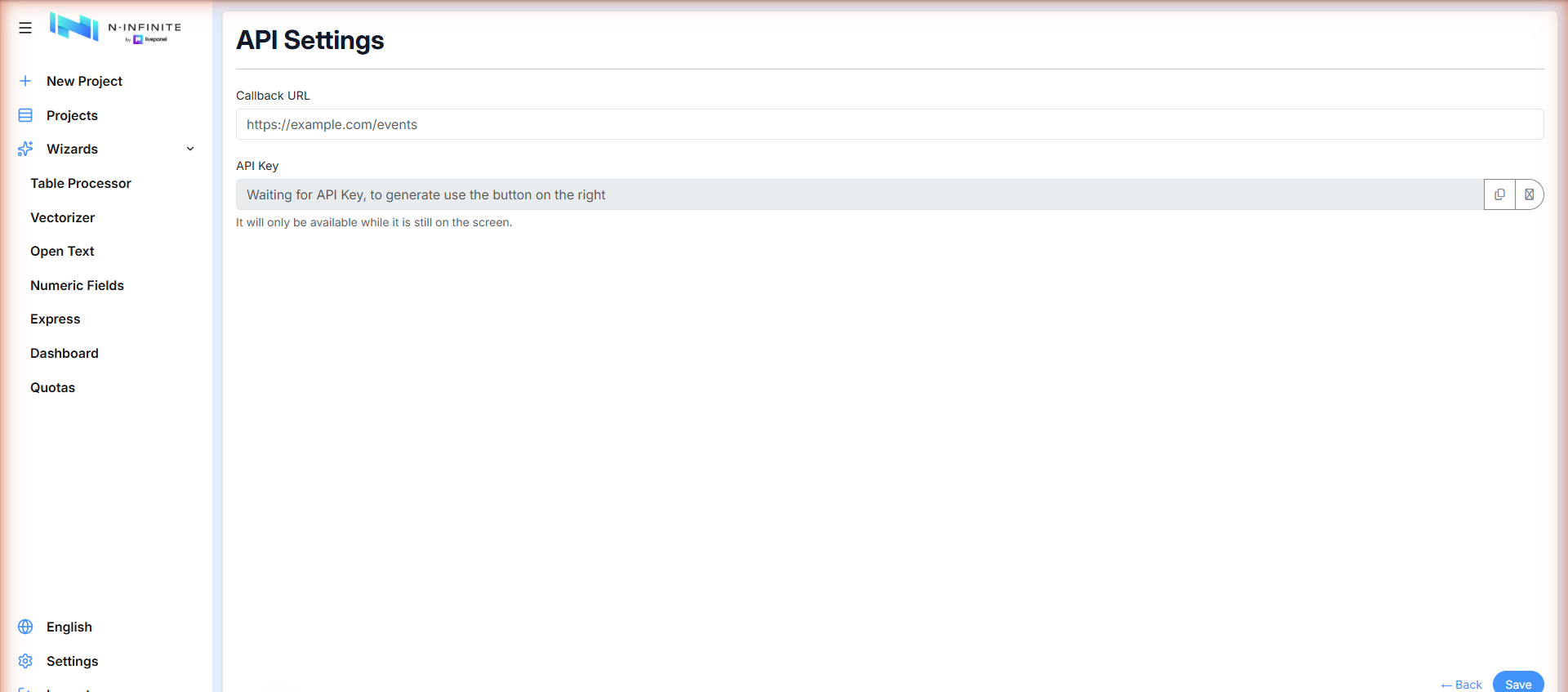
- API Key — press the button on the right to generate it. The key is shown only while it is on screen: copy it immediately and store it safely. If you lose it, generate a new one.
- Callback URL — an endpoint on your side that receives project events.
Send the key on every request in the Authorization header, with the
Api-Key prefix:
Authorization: Api-Key YOUR_GENERATED_TOKEN
Project lifecycle
Creating a project is asynchronous. POST /projects answers with a
project in state INITIALIZING; when the initial processing finishes it
becomes CREATED. From there:
INITIALIZING → CREATED → (enqueue) → TRAINING_AND_PREDICTING → FINISHED
                  ↑                          ↓ pause
            PERFORMING_ACTION              PAUSED → (restart)
                                             ↓
                          POST_PROCESSING → POST_PROCESSING_COMPLETE
A project reports progress only while it is in TRAINING_AND_PREDICTING,
PREDICTING, PAUSED, FINISHED, POST_PROCESSING or
POST_PROCESSING_COMPLETE.
Endpoints
Projects
| Method | Path | What it does |
|---|---|---|
GET |
/projects |
List projects |
POST |
/projects |
Create a project (async — see below) |
GET |
/projects/{id} |
Retrieve one project |
DELETE |
/projects/{id} |
Delete the project and all its components |
POST |
/projects/{id}/enqueue |
Send the project into the ML pipeline |
POST |
/projects/{id}/pause |
Pause a project that is being processed |
POST |
/projects/{id}/restart |
Restart a project — only from PAUSED |
GET |
/projects/{id}/progress |
Detailed progress |
POST |
/projects/{id}/move-to-folder |
Move into a folder (folder_id, or folder_name to create one) |
GET |
/projects/compare |
Cross-project quality rollup — the Compare projects view |
GET/POST/DELETE |
/projects/{id}/members |
Read, add and remove assigned users |
POST |
/projects/projects-lite |
Create a Lite project |
POST |
/projects/peek-columns |
Column names (and labels, for .sav) of an uploaded file — for populating column selectors, needed for SPSS which the browser can't parse |
POST |
/projects/parse-datafile |
Read a full uploaded file (any supported format, including SPSS .sav) and return its columns and every row |
Creating a project
POST /projects takes multipart form data:
| Field | Required | Meaning |
|---|---|---|
datafile |
yes | The dataset file |
predict |
no | Separate predict dataset (Advanced mode) |
name |
no | Project name |
multiple_choice_delimiter |
no | Separator used for multi-select answers |
smart_match |
no | Apply Smart Match to the fields automatically |
force_enqueue |
no | Enqueue for processing immediately, skipping the separate enqueue call |
swift |
no | Create in Swift boost mode — auto-trains immediately, no separate enqueue |
first_question |
no | Column where the questionnaire starts; everything before it is the respondent profile |
express_preset |
no | Id or name of a saved Express matching preset |
factor |
no | Express amplification factor N |
country |
no | Express country slug (with express_preset, when needed) |
Note
Express projects are created from a saved preset — a raw
express_spec is not accepted here. Save the preset once (in the UI or
via the presets endpoints), then reference it by id or name on every
creation.
Datasets
| Method | Path | What it does |
|---|---|---|
GET |
/projects/{id}/datasets/get_file |
Download a dataset (see types below) |
POST |
/projects/{id}/datasets/get_merged_postprocessed |
Merged file with the post-processing steps applied |
POST |
/projects/{id}/datasets/dedup_analysis |
Duplicate analysis — what the dedup preview shows |
GET |
/projects/{id}/datasets/dashboard_report |
The charts dashboard data |
GET |
/projects/{id}/datasets/profiling_distribution |
Profiling distributions (train vs. predict) |
POST |
/projects/{id}/swift-target |
Swift Target File: the deduplicated, quota-selected, balance-weighted synthetic dataset. Available once FINISHED; returns an xlsx binary, no body needed |
POST |
/projects/{id}/express-target |
Express equivalent, over the census-amplified pool (dedup within predict only — boosted rows are distinct real people) |
Dataset types for get_file, all returned as .xlsx:
| Type | Content |
|---|---|
| Train | The dataset used to train the models |
| Predict | Profiling data used as input for generating synthetic data |
| Predicted | All the synthetic data generated, in the same shape as Train |
| Merged | Train + Predicted concatenated |
Fields
| Method | Path | What it does |
|---|---|---|
GET |
/projects/{id}/fields |
All fields of a project |
GET |
/projects/{id}/fields/{field_id} |
One field |
POST |
/projects/{id}/fields/apply_smart_match |
Apply Smart Match to every field's predictions |
POST |
/projects/{id}/fields/perform_action |
Run an action on fields (async) |
perform_action supports:
REMOVE_CLASS— remove a specific class from a field.CLEAN_TEXT_BRANDS— normalize text fields about brands.
While an action runs the project state becomes PERFORMING_ACTION, and
returns to CREATED when it finishes.
Express presets
| Method | Path | What it does |
|---|---|---|
GET |
/express/presets |
List your company's saved Express matching presets. Optional ?country=<slug> filter |
POST |
/express/presets |
Create or overwrite a preset — name + country identify it, so saving an existing name for that country replaces its matching |
GET |
/express/presets/{id} |
Retrieve one preset |
DELETE |
/express/presets/{id} |
Delete a preset |
A preset holds the reusable part of an Express spec: the column and value mappings described in Boost modes.